Happy New Year! I hope you all had a restful winter break and/or holiday, and that you’re looking forward to 2026. In this newsletter, I’ve included the following important updates about ChemQuiz.net:
- *NEW* Flashcards feature for Question Banks!
- *NEW* Dashboard features, including number of questions attempted
- Webinar about Flashcards & more on Tuesday, January 20th at 7pm ET/4pm PT
- LOTS of bug fixes and other improvements
- Updated pricing for site licenses for the ChemQuiz.net Dashboard
There’s a lot to tell you about, so I’ll do my best to keep this newsletter to the point!
*NEW* Flashcards feature for Question Banks!
I’ve been playing around with adding a new Flashcards feature to ChemQuiz.net for a while so that my students could use it for quiz and exam review, and I finally got it working over break with Question Banks! Here’s an example of what the new Flashcards look like:
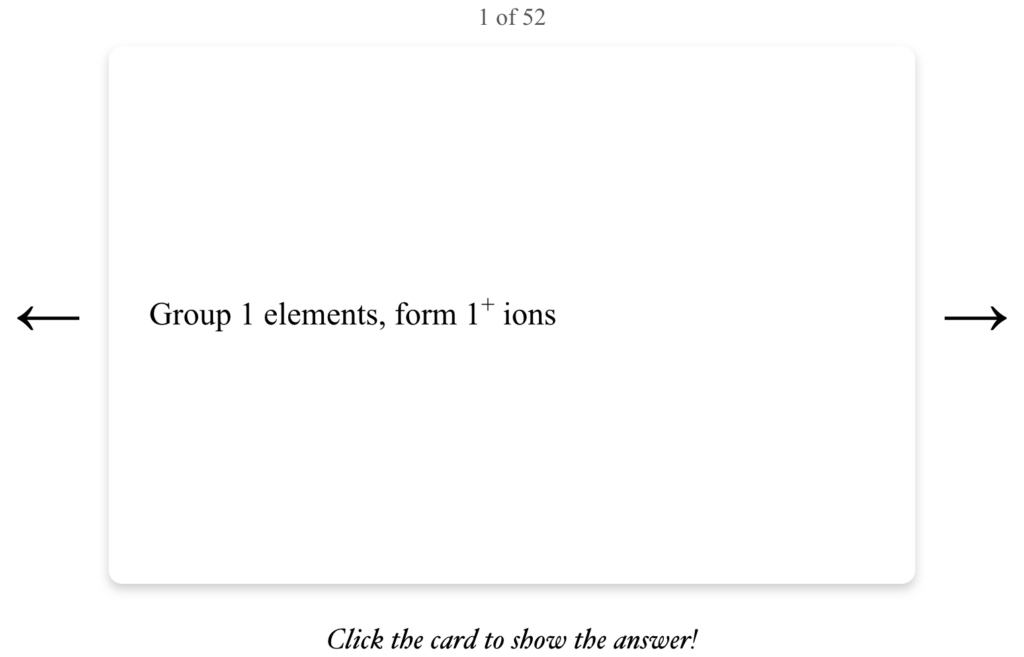
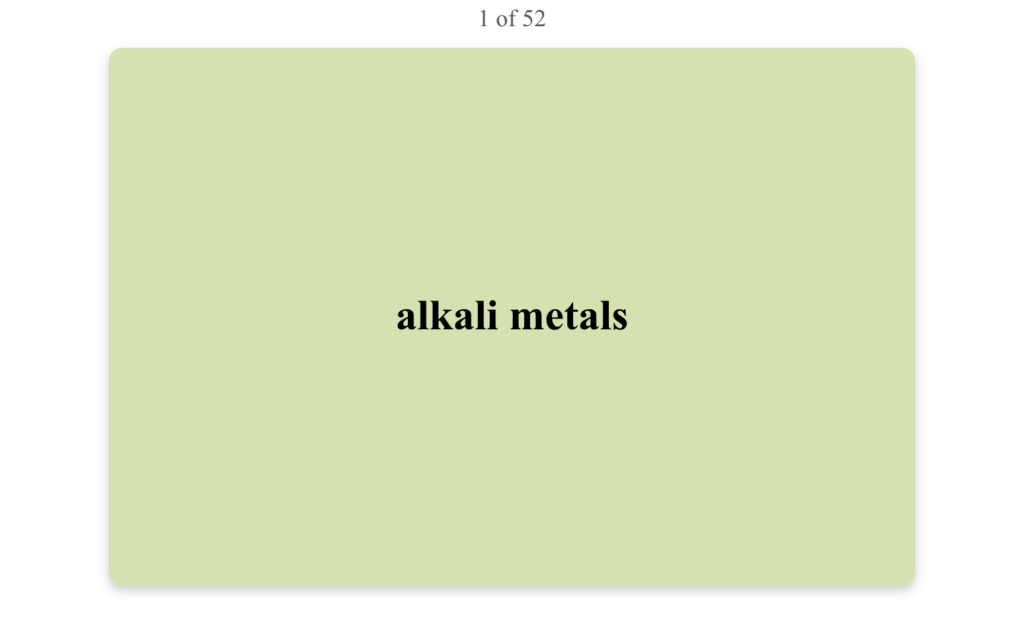 Students can use the left and right arrow keys on their keyboard to switch between flashcards, and they can use the spacebar to flip them. The new Flashcards feature also supports images:
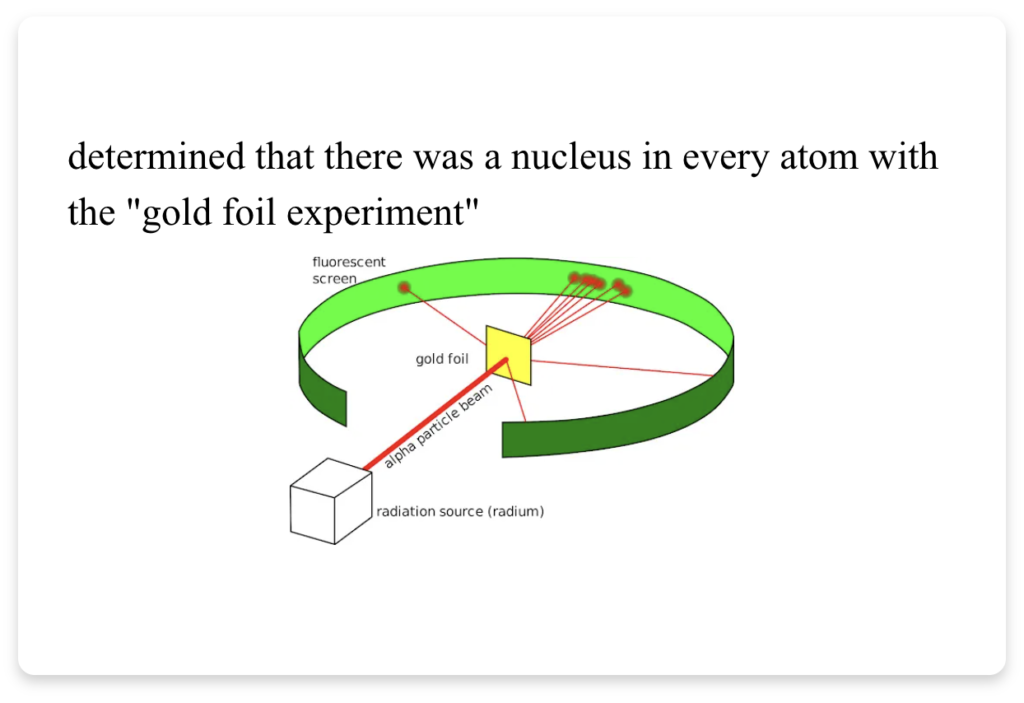 Click here to try out this example deck of flashcards on ChemQuiz.net!
Flashcards are a special kind of Question Banks assignment that does not accept or score student responses; instead, students can simply click on the flashcard to flip it over and see the answer on the other side. You also have the option to make the flashcards:
- show explanations/answers on the back
- show multiple choice and true/false options on the front
- “reverse” them so that the answers are shown on the front and the questions or terms are shown on the back
To create a Flashcards assignment, you can make a copy of an existing Question Banks assignment and edit it, or you can create a new Question Banks assignment the same way you’ve created assignments in the past. If you’ve never made a Question Banks assignment before, just make a copy of one of the many free Community Banks created by the ChemQuiz.net teacher community, and then click the “create an assignment” link!
Then, at the bottom of the form, under “Question Bank options”, next to the new “Display questions as” option, you can select “Flashcards” along with any additional options:
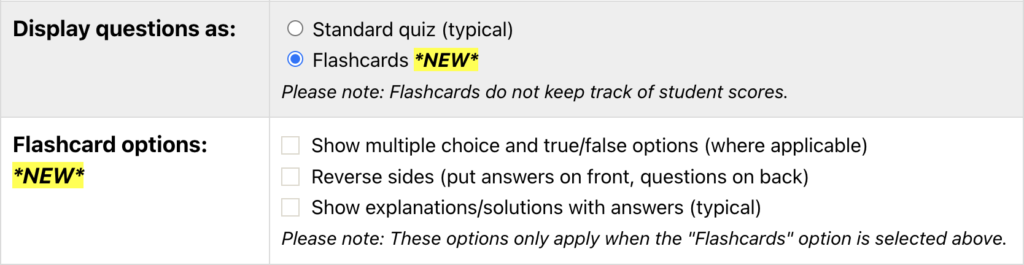
I also added a new “Alphabetical sort by answer” order option in case you want to keep your flashcards in order.
Once the Flashcards assignment is created and activated, students will see it in their Dashboard, like this:
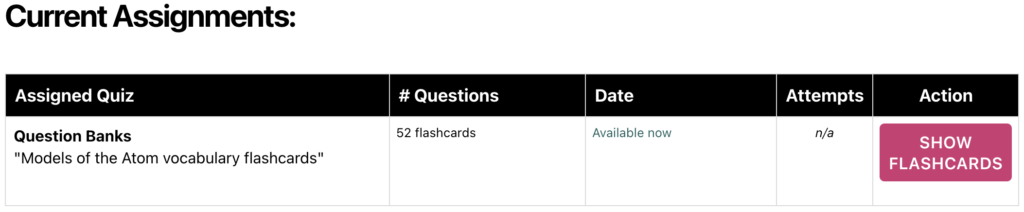
IMPORTANT: The “Number of items” option determines how many flashcards are shown. If you want to show all of the questions in your Question Bank, you need to make sure to change this number to match the number of questions in the bank. If you set it to “Continuous mode”, it will automatically generate the correct number of flashcards for you. Additionally, other options related to scoring assignments, such as “Completion threshold”, “Multiple attempts”, “Track tab switching”, “Rubric”, “Save progress”, and “Show results to students”, will be ignored.
I strongly recommend previewing your flashcards before assigning them to students, because there may be some formatting issues that you might need to go back and tweak, especially if your questions contain images.
Please try out the new Flashcards feature and let me know what you think! I’m planning to add them to all of the quizzes in the near future, so keep an eye out for that.
*NEW* Dashboard features
I also made some significant changes to the Dashboard over the past week!
Dashboard menu changes
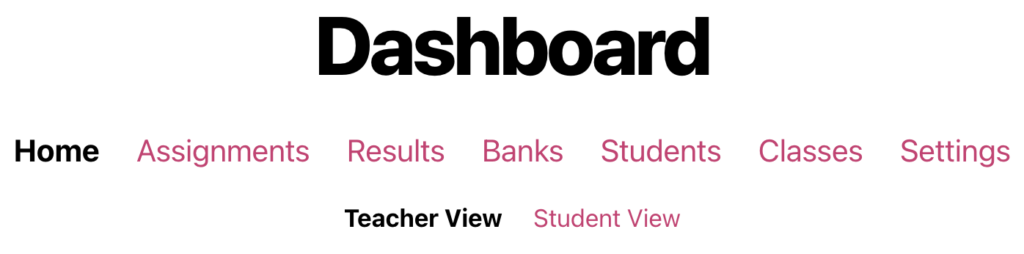
First, I re-organized and simplified the main menu:
I also moved the Exemplars page under Assignments:

This makes more sense to me since the exemplars are more likely to be used when teachers are creating or editing assignments.
Then, I moved the Grades and Export pages under Results:

This groups pages with common functions together, and it’ll allow more room in the menu in the future for new results-related features (like standards-based data analysis). I also added some new filter checkboxes to the Latest Results page.
Some teachers have told me they prefer to use the Grades page since it’s more like a traditional gradebook, so I added a Dashboard Setting called “Results Menu Button Behavior” that lets you pick whether you want the Latest Results page or the Grades page to be displayed when you click on the Results menu button:

I’m hoping that this streamlines the Dashboard so that it’s easier to find what you’re looking for while also making room for new features in the future!
Number of questions attempted
Based on a suggestion from Val, I also added a column to the Results page that shows how many questions were attempted in each assignment:

If at least one field is completed for a question, then the quiz will count it as attempted. The number of questions attempted will also show up on the Grades page if you hover your mouse cursor over a student score. I’m hoping this will give you a better idea of whether a student’s low score on an assignment is due to confusion or a lack of effort. I also added the ability to turn off the “Met Threshold” column on the Results page so you have more control over what data is displayed.
Display Topics in specific classes
Also, when you create or edit a topic, you can now have it displayed only to classes that you select:

This should make the Topics feature more useful for you and your students if you share the ChemQuiz.net Dashboard with any colleagues at your school. Thanks to Patricia, Heidi, and the many others who have contacted me with feedback and suggestions to help make this feature better!
“Under the hood” improvements
Finally, I reorganized the entire Dashboard source code so that it only loads the pieces it needs when a specific action is taken. I’m hoping that this makes it run faster, as I’m expecting website traffic to reach new records in April and May. It has also made it much easier to find and fix a bunch of little bugs that I didn’t even know were there!
However, since this was a major modification to the Dashboard, I may have accidentally introduced some new bugs that I wasn’t able to find when I was testing out the changes over break. If you come across any unusual behavior or blank pages while using the ChemQuiz.net Dashboard, please let me know and I’ll do my best to fix it ASAP!
I hope you like all of the Dashboard improvements and that they help make your job a little easier as we move into the new year!
Webinar Tuesday, January 20th @ 7pm ET/4pm PT
I’ve scheduled the first live webinar of 2026 for Tuesday, January 20th at 7pm Eastern Time/4pm Pacific Time on Zoom! This time, I’m going to focus on how to use the new Flashcards feature. There will also be time for a Q&A session at the end, just like before.
Please use this link to register for the webinar in advance:
https://us06web.zoom.us/meeting/register/xTrM2PrGQeWsL-tzIYQQiQ
After registering, you should receive a confirmation email containing information about joining the meeting. If you have any topics you’d like me to add or any questions you’d like to submit in advance, please submit them using the Contact form or you can email me at chris@chemquiz.net.
I’ll also be sending out a Certificate of Attendance for one contact hour for everyone who attends so that you can use them for your teaching license renewal (or however your state does it). I’m looking forward to seeing you there!
Bug fixes & other improvements
In addition to all of the new features listed above, I also added more new features and fixed the following bugs on ChemQuiz.net:
Dashboard – these also apply to PhysQuiz.net!
- new feature: added a column to the Results page that shows how many questions were attempted in each assignment (thanks, Val!)
- new feature: added an option to limit Topics to specific classes (thanks, Patricia and Heidi!)
- new feature: added Dashboard Settings for “Met Threshold” and “Questions Attempted” columns on the Results page
- new feature: added the ability to modify the “collapsible” setting from the Topics main page
- new feature: added and reorganized the filter checkboxes above the results table on the Latest Results page
- new feature: added a new Dashboard Setting to control default behavior for the “Results” menu button
- enhancement: moved the Exemplars page under the Assignments page
- enhancement: moved the Grades and Export pages under the Results page
- enhancement: improved the speed of the Dashboard by only loading code that’s necessary
- enhancement: decreased the font size of the Dashboard submenu to allow for future additions
- bug fix: the Assignments page would crash if there were no unarchived assignments to display (thanks, Matthew W.!)
- bug fix: the table header was being displayed without a table under a topic when using the filter resulted in no assignments for that topic
- also: fixed lots and lots and lots of little bugs
- new feature: Flashcards!
- new feature: added an “Alphabetical sort by answer” order option
- enhancement: significantly decreased how long it took to load the Community Banks page
- bug fix: the “manage questions” link from the Question Banks page was broken (thanks, Lan & James!)
- bug fix: the “create an assignment” link from the Question Banks page would result in a broken assignment
- bug fix: the checkbox table column was not being displayed on the Question Banks page, which resulted in a bad layout
Balancing, Identifying & Predicting Chemical Equations Quiz
- bug fix: correct answers were still being shown in Continuous mode when the “Show correct answers” option was not selected in the assignment (thanks, Heidi!)
- bug fix: duplicate multiple choice values were being displayed when the “Simplified” option for “Given values” was selected (thanks, James!)
- enhancement: improved mobile formatting of Standard Reduction Potentials page
- enhancement: improved formatting for how rate law answers were displayed on scoring page
- enhancement: improved solution setups for rate law calculation problems
- bug fix: correct answer for rate constant values was rounded by sig figs too early, which would cause some mathematically correct (non-rounded) answers to be marked as incorrect (thanks, Karam!)
- bug fix: correct answer for time problems wasn’t being passed to the function that generates multiple choice options, resulting in all zeroes 🤦🏻♂️ (thanks again, Karam!)
- bug fix: correct rate law answer wasn’t being displayed in multiple choice options
- bug fix: the unrounded value for rate constant was being used to calculate the correct answer for rates of reaction problems instead of using rounded value displayed to students, causing some mathematically correct answers to be marked as incorrect (thanks, Susan!)
- bug fix: some second-order reactions were still being incorrectly identified as zero-order for rate laws problems with given values that were rounded to one sig fig, so I changed the algorithm that determines the correct rate law to check for zero-order first, then first-order, then second-order last (thanks, Weston!)
- correction: SeO2, SO2, TeO2 weren’t identified as violating the octet rule in the database (thanks, Val!)
- bug fix: correct answers were being marked as incorrect if a non-breaking space was included, so I added a function that replaces non-breaking spaces with regular spaces before trimming them (thanks, Matthew E.!)
- bug fix: gases such as ammonia and ozone that had been excluded were still being displayed by the quiz (thanks, Colleen!)
Molecular Geometry & VSEPR Quiz
- bug fix: students couldn’t answer some unbonded electron pair questions because AX2E1 and AX2E2 molecule shapes looked identical in the 3D models that were displayed (thanks, Elisa and Val!)
- bug fix: in unbonded electron pair questions, formulas were being passed for grading even though unrelated 3D models were being used (thanks, Keith!)
- bug fix: SCN– was being scored as nonpolar even though it’s polar (thanks again, Keith!)
- bug fix: 3D models for linear molecules in electron hybridization questions were too vague (thanks, Susan!)
Naming Compounds & Calculating Molar Masses Quiz
- bug fix: compounds with mercury were still being displayed by the quiz even if mercury was excluded (thanks, Andrew!)
- new feature: added 399 amides (thanks, Kendra and Richard!)
Percent Error & Percent Yield Quiz
- bug fix: multiple choice options were excluding the correct answer when the “Simplified” option for “Given values” was selected (thanks, Shauna and Krisha!)
Redox Reactions & Net Ionic Equations Quiz
- bug fix: the correct net ionic equation was being scored as incorrect because the student used em dash instead of a negative sign, so the quiz now accepts em dash (thanks, Lan!)
SI Conversions & Dimensional Analysis Quiz
- new feature: added an advanced option* to exclude certain units (thanks, Patrisha and Val!)
- bug fix: older assignments were showing the string “chemistry” for all units because I messed up the backward compatibility when I added the new feature to select specific units 🤦🏻♂️ (thanks, Talayla!)
- new feature: added an advanced option* to choose the order(s) of magnitude for randomly generated values for the quiz (thanks, Monique and Jennifer!)
Stoichiometry & Limiting Reagents Quiz
- bug fix: answers for percent yield had an incorrect number of sig figs (thanks, John!)
- bug fix: multiple choice options were often identical when the “Simplified” option for “Given values” was selected (thanks, Paul!)
- bug fix: multiple choice options were often identical when the “Simplified” option for “Given values” was selected (thanks again, Paul!)
Other improvements
- enhancement: updated the Common Ions handout with all multivalent metals used on the site (thanks Jason, Lance, and Lance’s students!)
- correction: updated documentation across the site
Thanks so much to everyone who has sent in a suggestion or reported a bug! Your feedback really helps me track down and fix problems, so if you come across any issues or errors while using ChemQuiz.net, please fill out this short Contact form and I’ll try to get it fixed as quickly as possible.
* advanced options are only available to teachers with an active site license for the ChemQuiz.net Dashboard
Updated pricing for site licenses for the ChemQuiz.net Dashboard
After careful consideration, I’ve made the difficult decision to increase the price of a site license for the ChemQuiz.net Dashboard to $99 per school per year. Costs have gone up over the past several years for the web hosting and security software that I use for the site, and I will never put ads on the site. I’m also committed to continuing to improve the site with new features and topics, and I plan on offering free site licenses for high poverty schools across the United States forever, so those ongoing expenses are fully supported by site licenses.
(Please note that this price change applies to site license purchases and renewals on or after January 1st, 2026. Pricing for any outstanding sales quotes from 2025 will still be honored, and schools who have purchased multiple years will not be affected until their next renewal.)
An active site license for the ChemQuiz.net Dashboard allows you to:
- create assignments for your students using the quizzes on the site
- select the options you want that best match your students’ needs, including advanced options such as requiring correct sig figs in answers
- allow your students to save their progress as they’re working on an assignment
- build exams from multiple assignments
- create custom question banks and flashcards with your own questions and images or use questions shared by the ChemQuiz.net educator community
- use the “tab switch detection” anti-cheating feature
- review results with your students so they can correct misconceptions and grasp concepts more quickly
- track your students’ progress and download results for data analysis
- create custom rubrics to score assignments
If you’d like to purchase a 12-month site license for just US$99, you can do so in any of the following ways:
- credit card through Square (the most popular option)
- school purchase order (contact me for a sales quote!)
- CashApp, PayPal, or Venmo at chris@chemquiz.net or @ChemQuizDotNet
Additional schools in the same district can purchase an add-on license for 50% off at just US$49 per school.
If your school offers physics, you can also bundle a site license for the PhysQuiz.net Dashboard for just US$49 more!
Site licenses also make it possible for me to make the ChemQuiz.net Dashboard free for the 221 U.S. public schools whose students are economically disadvantaged. If you teach in a high poverty public school in the United States (at least 50% of your students on free/reduced lunch or designated “economically disadvantaged”), just send me a link to the supporting documentation and you’ll get a free site license for the ChemQuiz.net Dashboard forever – PhysQuiz.net, too!
Help me share ChemQuiz.net with the world!
If you like using ChemQuiz.net, there are three quick and easy things that you can do to help me promote the site!
- Add your school to the long list of supporters on the About ChemQuiz.net page! Simply go to the ChemQuiz.net Dashboard, click on “Your Info” in the top menu bar, activate the box next to “Display School on ChemQuiz.net“, and click the “Update Your Info” button.
- Tell another Chemistry teacher about ChemQuiz.net and encourage them to try out the Dashboard!
- Follow @ChemQuizDotNet on BlueSky 🦋 and share my updates with your fellow Chemistry teachers!
Thanks so much for your continued support of ChemQuiz.net! As always, please feel free to use the Contact form or email me at chris@chemquiz.net if you ever have any questions, comments, or concerns. I hope you have a great year!
-Chris