Hello again, and Happy Black History Month! For those of you in North America, I hope you’ve been able to stay warm during this cold, cold winter. In this newsletter, I’ve included the following important updates about ChemQuiz.net:
- *NEW* Quiz Timer!
- Webinar about Quiz Timer & more on Wednesday, February 25th at 7pm ET/4pm PT
- *NEW* Beer-Lambert Law problems!
- *NEW* font options for assignments!
- *NEW* answer explanations on the Naming Compounds Quiz
- Bug fixes and other improvements
- Site licenses for the ChemQuiz.net Dashboard
- Classroom resource for Black History Month
*NEW* Quiz Timer!
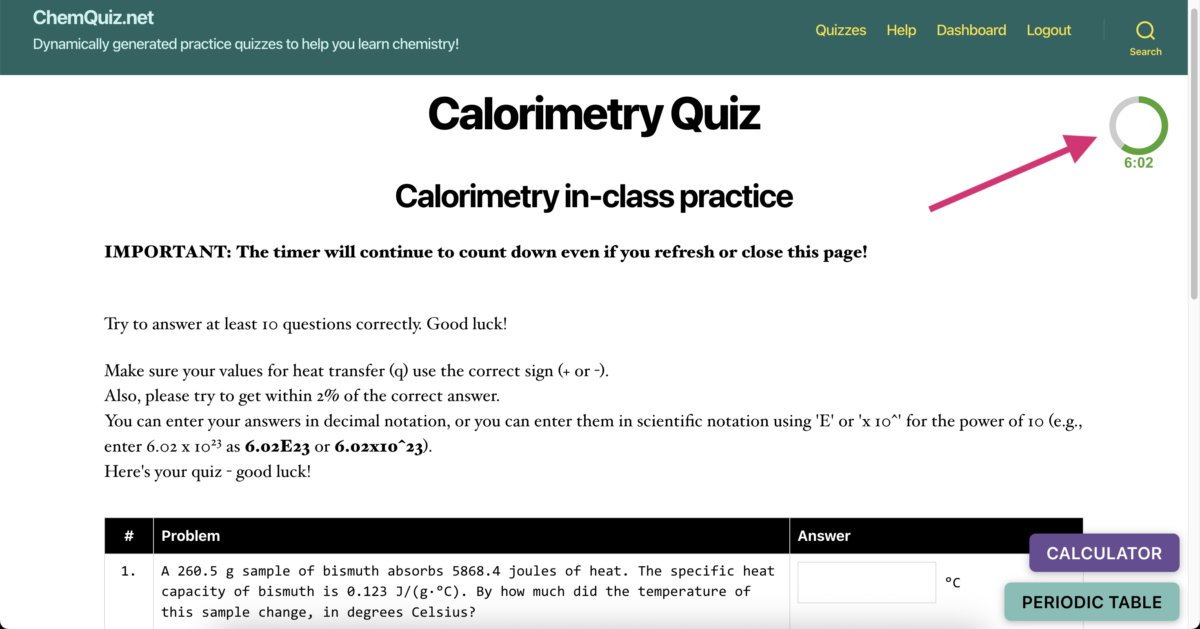
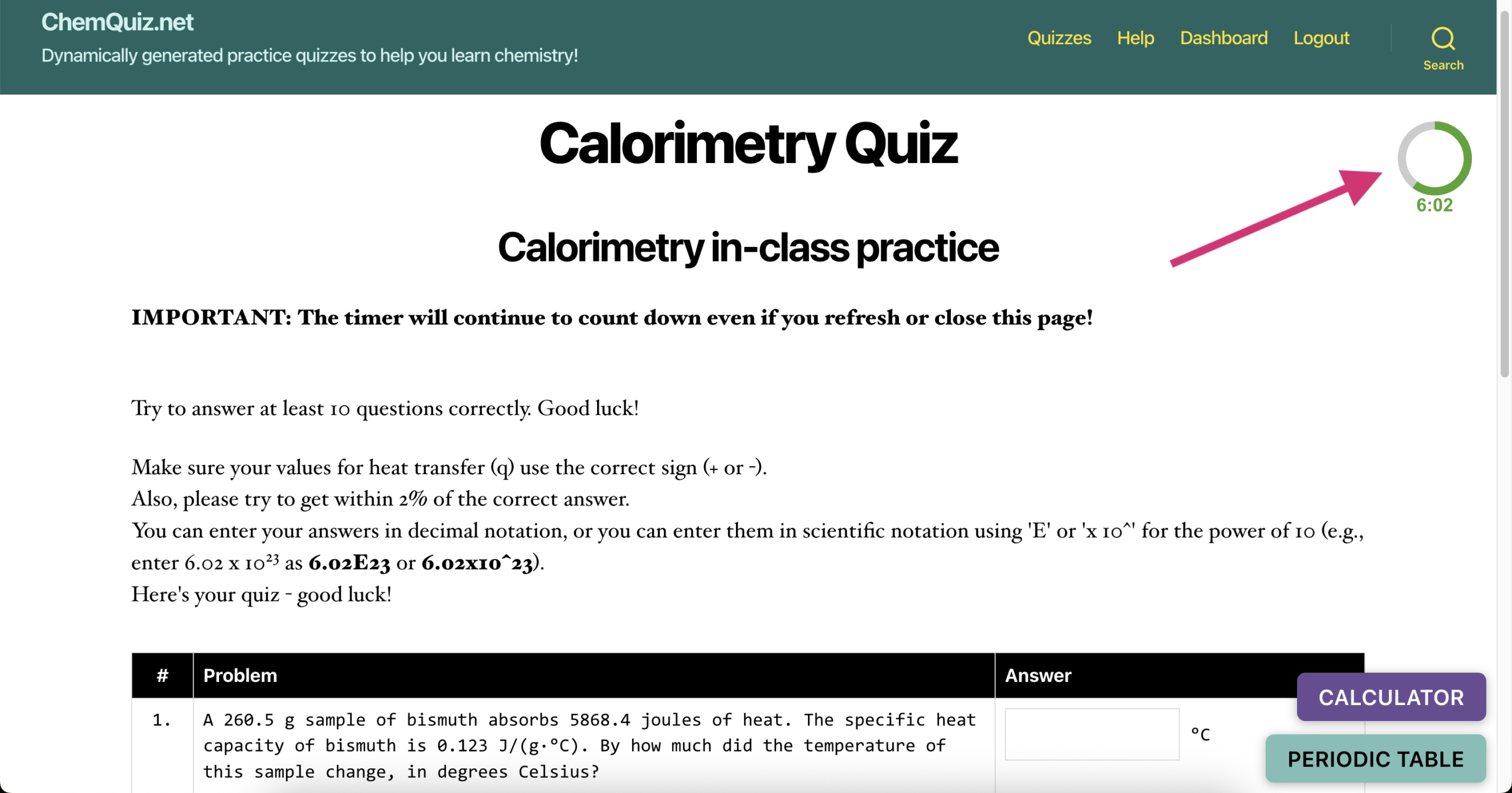
I’ve added a new Quiz Timer feature that you can use on any quiz on ChemQuiz.net! When the timer runs out, if they’re not done, the student’s assignment is automatically submitted. The timer floats in the upper right corner of the quiz window. Here’s what it looks like:
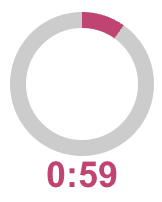
 When the timer has less than one minute left, it changes color to let students know that time is running out:
To implement a timer in one of your assignments, follow these steps:
- In the ChemQuiz.net Dashboard, click on Assignments
- On that page, you can click on the pink “Create an Assignment” button to make a new assessment or click the “edit” link next to an existing assignment
- Scroll down to “Timer” under Advanced options
- Enter the number of minutes you’d like your students to have for that assignment
- After entering or modifying the other assignment settings to your liking, click the pink “Save New Assignment” or “Update Existing Assignment” button at the bottom of the form
If a student refreshes their browser window or switches away and comes back later, the timer will keep going, even if they close their browser entirely, because the start time is tracked in the database and will be reloaded and recalculated the next time they go to the assignment. If they come back to an assignment after the timer has expired, the assignment will automatically submit within 2 seconds and score their results as usual.
One exciting potential use of the new timer feature is creating “races” for your students with Continuous mode! Change the “Multiple attempts” setting to “Only one attempt allowed” and set the “Timer” to something reasonable depending on the topic (e.g., 10 minutes). Then, challenge your students to answer as many questions correctly as possible before the timer runs out! This could be a fun way to review before a test or exam, or to recognize a high-achieving student who doesn’t say very much in class. (I have some pretty competitive students in my 2nd period Advanced Chemistry class that I think would really enjoy this, so I’m going to try it before our upcoming quiz on calorimetry.)
I’ve also begun work on an “Accommodations” page that will allow you to modify the length of the timer for specific students who get additional time due to an IEP or 504 Plan, or you can exclude them from the timer entirely, but it’s not quite done, so look for that to be added soon. I’m also planning on adding the ability to decrease the number of multiple choice options on an assignment to three or two for selected students, but that’s likely a summer project.
I first rolled out the timer feature during the January webinar a week and a half ago, but it took a lot of testing and tweaking to get Continuous mode working properly. Despite my best efforts to anticipate the ways that students might try to find a way around the timer, there may be some bugs, issues, or strange behavior that I hadn’t anticipated, so like any new feature, I recommend testing it out yourself or with a small group of students before implementing it in class. If you encounter any problems, please let me know!
Thanks to Lan, Anamar, and Casey for suggesting the timer feature and providing feedback on it, I really appreciate it!
Webinar Wednesday, February 25th @ 7pm ET/4pm PT
The next live webinar of 2026 will take place on Wednesday, February 25th at 7pm Eastern Time/4pm Pacific Time on Zoom! This time, I’m going to focus on how to use the new Quiz Timer feature. There will also be time for a Q&A session at the end, like always.
Please use this link to register for the webinar in advance:
https://us06web.zoom.us/meeting/register/wnum0xjzSHKG92vmaHh22A
After registering, you should receive a confirmation email containing information about joining the meeting. If you have any topics you’d like me to add or any questions you’d like to submit in advance, please submit them using the Contact form or you can email me at chris@chemquiz.net.
I’ll also be sending out a “Certificate of Attendance” for one contact hour for everyone who attends so that you can use it for your teaching license renewal (or however your state does it). I’m looking forward to seeing you there!
*NEW* Beer-Lambert Law problems!
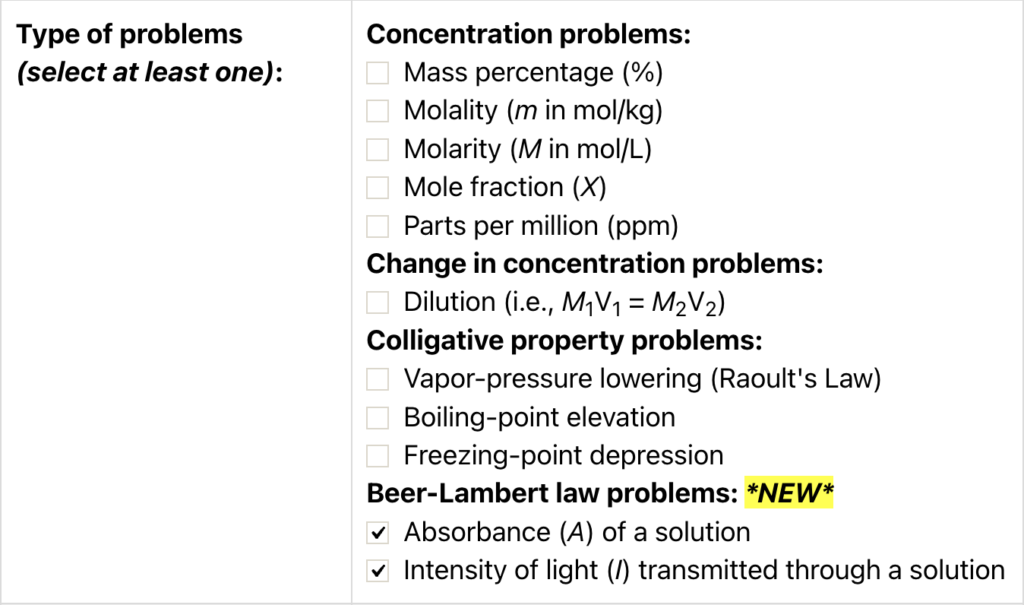
For those of you teaching AP® Chemistry, I added Beer-Lambert Law problems to the Concentrations & Colligative Properties of Solutions Quiz! To generate absorbance problems, select these options when creating an assignment:
Here are some examples of the problems that are generated:



Try out the new Beer-Lambert Law problems and let me know what you think!
*NEW* font options for assignments!
One issue that has existed on ChemQuiz.net since the beginning of the site in 2020 has been the ambiguity between lowercase L (“l”) and uppercase i (“I”) in the font that I chose for the quiz questions, Helvetica Neue. I wanted something that was clean and easy to read without serifs, especially for students with dyslexia, since serifs and screen use can cause increased eye strain and fatigue.
However, the lack of serifs (the little lines at the tops and bottoms of letters for some fonts, like Times New Roman and Courier New) can make “Cl” look like carbon and iodine instead of chlorine, especially for beginning chemistry students. The periodic table hanging in my classroom has this exact issue, which is why I created a periodic table handout for ChemQuiz.net with a fixed-width serif font, Consolas (which I have to admit, I’m really digging lately).
To try to give teachers more control over what their assignments look like, I’ve added a new Assignment Setting that lets you select from seven different fonts:
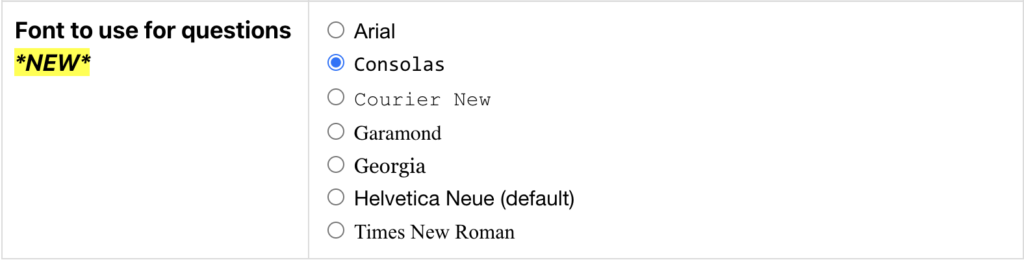
To change the font for your assignments, follow these steps:
- In the ChemQuiz.net Dashboard, click on Settings, then click on Assignment Settings:
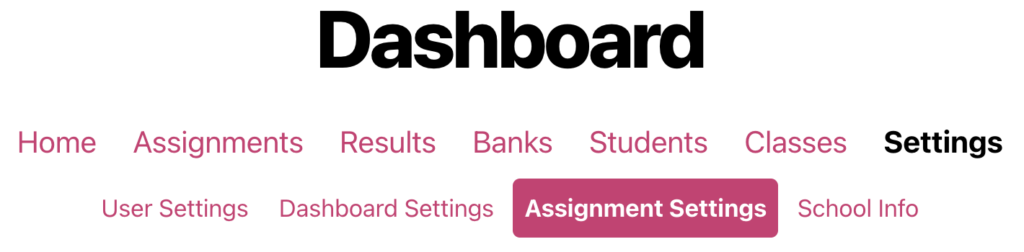
- Scroll down to “Font to use for questions” and select the font you’d like to use
- Click the pink “Update Default Assignment Settings” button to save your selection
Then, you can load a preview of one of your assignments to see if you like how it looks!
Thanks to Yaritza, Annie, and Pamela for nudging me over the past two years to come up with a solution for the font issue! I’m planning on overhauling the look of the website this summer, including the default font, but it annoys me when educational websites change during the school year, so it won’t happen before July (apologies to our friends in Australia, I’ll give you a heads up!).
*NEW* answer explanations on the Naming Compounds Quiz
Like many of you, the district where I teach had three “calamity” days this past week, so in addition to working on the timer, I used that time to also work on adding answer explanations for the names and formulas on the Naming Compounds & Calculating Molar Masses Quiz! Here are some examples of the new explanations:
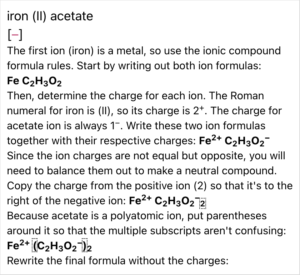
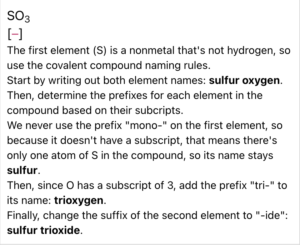
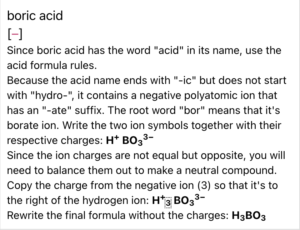
I’ve wanted to add explanations for how to name compounds and write their chemical formulas since I started the site, but there are nearly 1300 compounds in the database that are used for that quiz, so there was no way I could do that manually for every single one. Instead, I figured out how to do it algorithmically (on my own – no AI used here!) by using the established rules for naming and writing formulas for ionic compounds, covalent compounds, acids, hydrates, and simple alkanes.
If you come across any explanations that are missing or incorrect, please send me a bug report!
Bug fixes & other improvements
In addition to the new features listed above, I also added more new features and fixed the following bugs on ChemQuiz.net:
Dashboard – these also apply to PhysQuiz.net!
- enhancement: added a Dashboard setting to change the font on quiz questions (thanks Yaritza, Annie, and Pamela!)
- bug fix: many assignments were not showing up in the Dashboard for students due to a bug in the implementation of assignments with timers (thanks Sharon, Elisa, Ignacio, Darlene, Zack and Keith!)
- bug fix: assignments for archived/inactive classes were still showing up for students in those classes on their Current Assignments page (thanks, Kendra!)
- bug fix: clicking on the “show details” link on the Results page or a student score on the Grades page would go back to the Results page instead of showing the details if the “Show Grades Page” Dashboard Setting was selected (thanks, Jennifer!)
- bug fix: creating new accounts through CSV upload wouldn’t work if a destination class wasn’t selected (thanks, Caytee!)
- bug fix: “Create New Student Account(s)” and “Create a Class” forms would crash if there were no users already at that school (thanks Laura, Jenna, and Brian!)
- bug fix: exams would get into an “infinite loop” and never allow students to finish if there were any errors or missing sections in the temporary results for that exam (thanks, Kimberly!)
- bug fix: refreshing the “answers saved” page could create a duplicate entry in the temporary results database table, which caused exam grading issues (thanks, Ashley!)
- new feature: timed option for quizzes that automatically submits after time runs out (thanks Lan, Anamar, and Casey!)
Most Quizzes
- enhancement: pop-out calculator now allows the use of parentheses for multiplication, e.g., entering (6)(7) would be the same as entering (6*7) (thanks, Heidi!)
Concentrations & Colligative Properties of Solutions Quiz
- new feature: added Beer-Lambert Law problems (thanks, Anna and Barbara!)
- bug fix: value for standard pressure wasn’t being set, causing the quiz to crash when it tried to divide by zero (thanks, Sylvie!)
- bug fix: rate laws with zero-order reactions were sometimes being scored incorrectly (thanks, John!)
Mass Ratios, Percent Composition & Empirical Formulas Quiz
- bug fix: duplicate multiple choice values were being displayed when the “Simplified” option for “Given values” was selected (thanks, Sean!)
- bug fix: duplicate multiple choice values were being displayed when the “Simplified” option for “Given values” was selected (thanks again, Sean!)
Molecular Geometry & VSEPR Quiz
- correction: electron hybridization for AX5E2 and AX6E1 was incorrect (thanks, Alice!)
- bug fix: test code was being displayed on the grading page
Naming Compounds & Calculating Molar Masses Quiz
- new feature: added explanations for naming and formula questions
- new feature: new advanced option* to use the American spelling for element 55 (“cesium” instead of “caesium”) (thanks, Gene!)
- new feature: new advanced option* to use the IUPAC spelling for element 13 (“aluminium” instead of “aluminum”)
- bug fix: answers were still being shown even when “do not show solutions” was selected (thanks, Heidi!)
- new feature: added 816 thiols (thanks, Kendra!)
Thanks to everyone who has reported a bug or sent me a suggestion! Your feedback helps me fix problems and improve the site, so if you come across any issues or errors while using ChemQuiz.net, please fill out this short Contact form and I’ll do my best to get it fixed as quickly as possible.
* advanced options are only available to teachers with an active site license for the ChemQuiz.net Dashboard
Site licenses for the ChemQuiz.net Dashboard
Thanks to everyone who has purchased or renewed a site license for the ChemQuiz.net Dashboard! Site licenses are how I pay for web hosting and security software, and for the software I use to write the quizzes. It also keeps the website ad-free and supports me so I can keep improving the site and adding new quizzes and features.
An active site license for the ChemQuiz.net Dashboard allows you to:
- create assignments for your students using the quizzes on the site
- select the options you want that best match your students’ needs, including advanced options such as requiring correct sig figs in answers
- allow your students to save their progress as they’re working on an assignment
- build exams from multiple assignments
- create custom question banks and flashcards with your own questions and images or use questions shared by the ChemQuiz.net educator community
- use the “tab switch detection” anti-cheating feature
- review results with your students so they can correct misconceptions and grasp concepts more quickly
- track your students’ progress and download results for data analysis
- create custom rubrics to score assignments
- create timed assignments to help students prepare for state and AP® tests
If you’d like to purchase a 12-month site license for just US$99, you can do so in any of the following ways:
- credit card through Square (the most popular option)
- school purchase order (contact me for a sales quote!)
- CashApp, PayPal, or Venmo at chris@chemquiz.net or @ChemQuizDotNet
Additional schools in the same district can purchase an add-on license for 50% off at just US$49 per school.
If your school offers physics, you can also bundle a site license for the PhysQuiz.net Dashboard for just US$49 more!
Site licenses also make it possible for me to make the ChemQuiz.net Dashboard free for the 226 U.S. public schools whose students are economically disadvantaged. If you teach in a high poverty public school in the United States (at least 50% of your students on free/reduced lunch or designated “economically disadvantaged”), just send me a link to the supporting documentation and you’ll get a free site license for the ChemQuiz.net Dashboard forever – PhysQuiz.net, too!
Help me share ChemQuiz.net with the world!
If you like using ChemQuiz.net, there are three quick and easy things that you can do to help me promote the site!
- Add your school to the long list of supporters on the About ChemQuiz.net page! Simply go to the ChemQuiz.net Dashboard, click on “Your Info” in the top menu bar, activate the box next to “Display School on ChemQuiz.net“, and click the “Update Your Info” button.
- Tell another Chemistry teacher about ChemQuiz.net and encourage them to try out the Dashboard!
- Follow @ChemQuizDotNet on BlueSky 🦋 and share my updates with your fellow Chemistry teachers!
Classroom resource for Black History Month
Two years ago, an anonymous teacher shared this great bulletin board display for Black History Month called “Celebrating African-American champions of Science & Engineering“, which includes awesome printable slides like this:
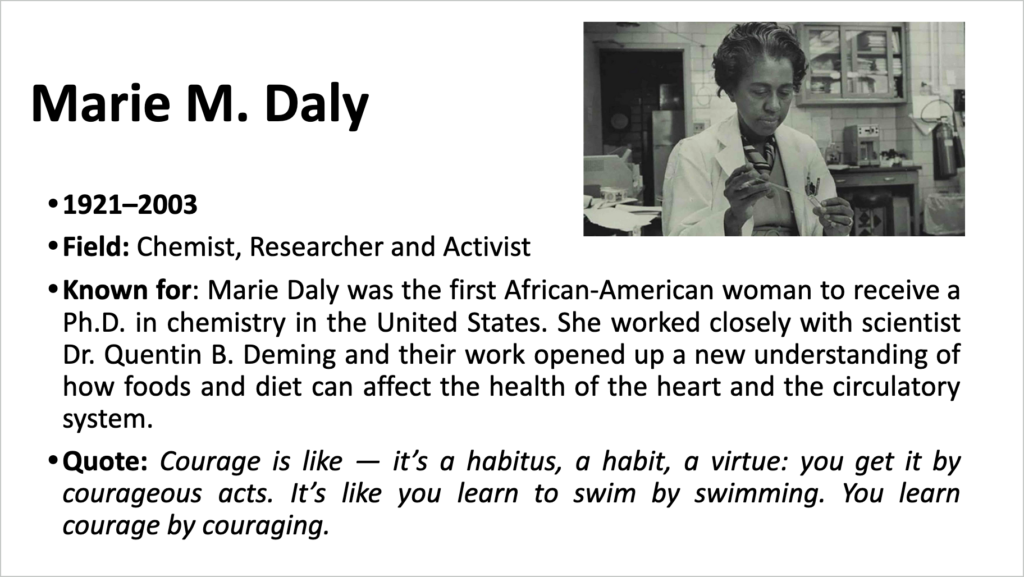 I shared this in last year’s February newsletter, but I thought I’d share it again in case you were looking for some diverse decorations for your own classroom!
I was getting ready to leave for school this past Friday when I noticed that my weather station had some chilling news for me 😱:
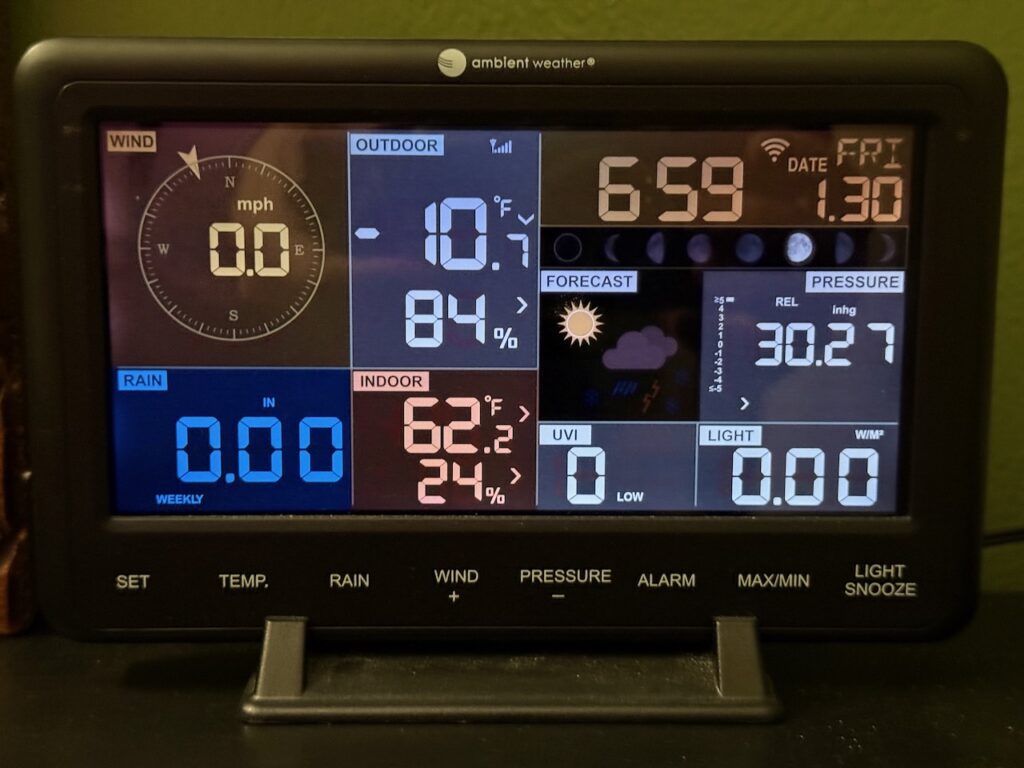
To be honest, I was lucky that my car started, otherwise I would have been walking to school. We’re only halfway through winter, so wherever you are, I hope you’re staying warm and safe!
As always, thank you SO MUCH for your continued support of ChemQuiz.net! Please reach out any time by using the Contact form or emailing me at chris@chemquiz.net if you ever have any questions, comments, or concerns. Take care!
-Chris