Hi there! For those of you in the Northern Hemisphere, I hope the school year has started well for you and you’re hitting your stride. Here’s the latest news about ChemQuiz.net:
- *NEW* pop-out periodic tables!
- *NEW* features to help you save time!
- *NEW* feature to prevent lost student work
- Webinar about Question Banks & more on Wednesday, October 29th at 7pm ET/4pm PT
- Lots of bug fixes and other improvements
- Site licenses for the ChemQuiz.net Dashboard
- Walk to End Alzheimer’s!
*NEW* pop-out periodic tables!
When I was working on adding the new pop-out calculator feature this past summer, I thought it would be great to also add a simple pop-out periodic table to ChemQuiz.net that was always available to students – so I did! Here’s what it looks like:
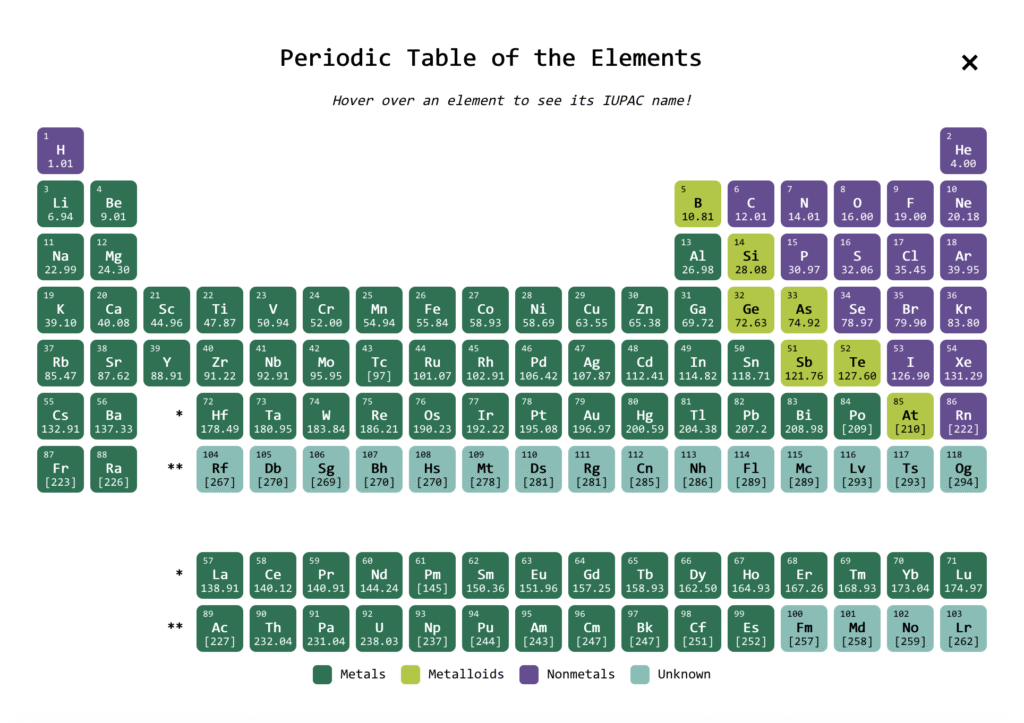
To add the pop-out periodic table to your assignments, make sure you select one of the precision options from this new advanced option:

Then, when students load their assignment, this floating button will appear in the lower-right corner of the screen:

When the periodic table is open, students can hover their cursor over an element to see its IUPAC name:
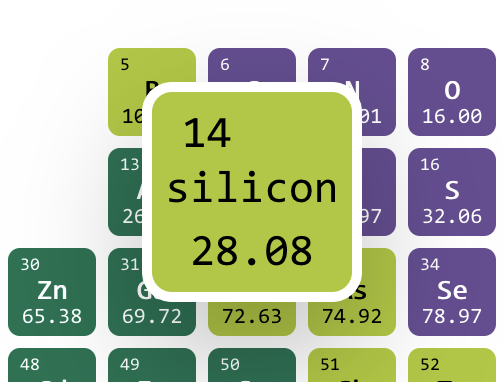
My goal was to provide students with just the most basic element information – number, symbol, mass, and name. There are some really amazing interactive periodic tables out there, but I’ve found that the amount of information on them can be a little overwhelming for students at times. That’s the primary reason I made the new periodic table handouts in Google Docs over the summer, but I also wanted this pop-out version to be compatible with the tab-detection security settings on assignments so that it wouldn’t require students to switch browser tabs.
Based on a suggestion from a teacher who attended the first webinar, I also made a pop-out table with electronegativity values for the Bond Polarity & Electronegativity Quiz:
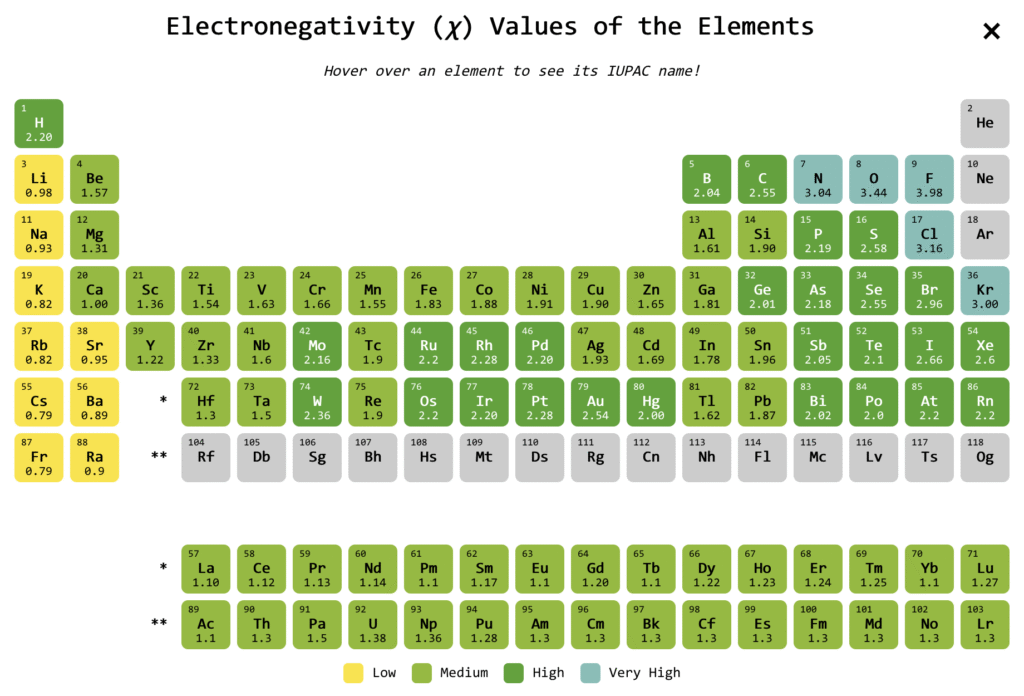
Thanks to Heidi for this great idea!
I hope these new resources are useful for you and your students! Please let me know if you have any issues with using them or suggestions for improvement.
*NEW* features to help you save time!
New Assignment Settings page
If you’re anything like me, you’ve probably created an assignment on the ChemQuiz.net Dashboard with one of the default settings that caused consternation in your class. This may cause your students to complain by saying something like, “Mr. Carman, you said we could take it multiple times!” because you forgot to change the “Multiple attempts” setting from the default setting “Only one attempt allowed”. I admit that I’ve done that before, and I made the website! 😅
To resolve this issue, I just added a new “Assignment Settings” page in the Dashboard that lets you set your own default values for a number of assignment options. To change your default assignment settings, follow these steps:
- In the ChemQuiz.net Dashboard menu, click on Settings.
- Click on the Assignment Settings submenu:

- Modify the default assignment settings to your liking. You can set defaults for: Number of items, Completion threshold, Assignment locking, Require student login, Multiple attempts, Track tab switching, Submit form on tab switch, Rubric, Save progress, and Show results to students.
- Click the pink “Update Default Assignment Settings” button to save your settings!
The next time you create an assignment, your settings will be loaded into the form as the default values, and you’ll still be able to modify your settings for each individual assignment. Please try it out and let me know what you think. Thanks to Helen for suggesting this great idea!
Two New Dashboard Settings
Based on teacher suggestions, I added two new features to the Dashboard Settings page:

- Display tab switches as a separate column on Results page
- Display only students from your classes on Grades page
Thanks to Val and Zack for these time-saving suggestions!
New feature to prevent lost student work!
I was contacted earlier this month by a teacher who had a student who was working on an assignment and closed their browser window before clicking either “Save Progress” or “Grade It!”. Unfortunately, there’s no way to get student answers back if the window is closed.
To make this less likely to happen in the future, I’ve added a feature that checks to see if a student has entered or selected an answer on a quiz. If so, it shows an alert dialog box warning them that they’ll lose their work if they leave the site that will look something like this (the exact appearance will vary depending on which web browser and operating system they’re using):
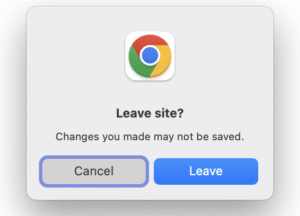
I’m hoping that seeing this pop-up message will keep some students from closing the browser window and losing their work!
Webinar Wednesday, Oct. 29 @ 7pm ET/4pm PT
I’ve had a lot of fun hosting the monthly ChemQuiz.net webinars this school year! It’s great getting a chance to talk to teachers who use the site with their students so I can get an idea of what’s working well and what needs to be improved. It’s also nice to be able to talk to other science teachers from all over the place – what a privilege!
I’ve scheduled another live webinar for Wednesday, October 29th at 7pm Eastern Time/4pm Pacific Time on Zoom, so I hope you can join me! This time, I’m going to focus on how to use the Question Banks feature to create self-graded quizzes and assignments with your own custom questions and images. There will also be time for a Q&A session at the end, just like the last two times.
Please use this link to register for the webinar in advance:
https://us06web.zoom.us/meeting/register/cyvQounvR1eOy2XRigI74Q
After registering, you should receive a confirmation email containing information about joining the meeting. If you have any topics you’d like me to add or any questions you’d like to submit in advance, please submit them using the Contact form or you can email me at chris@chemquiz.net. I’m looking forward to seeing you there!
Lots of bug fixes & other improvements
I’m not gonna lie – most of my time working on ChemQuiz.net in the fall is spent doing business stuff for the site (sales quotes, invoices, paperwork, etc.). However, thanks to the many teachers and students who’ve contacted me when they have a problem using the site, I’ve been able to fix the following bugs:
Dashboard – these features and bug fixes also apply to PhysQuiz.net!
- new feature: added a new Assignment Settings page to set default values for new assignments (thanks, Helen!)
- new feature: added a new Dashboard Setting to default to only showing scores of students in your classes on the Grades page (thanks, Val & Zack!)
- new feature: added a Dashboard Setting to show tab switches as a separate column on the Results page (thanks again, Val!)
- bug fix: some assignments were saving settings for multiple quizzes, resulting in blank questions (thanks, Rhonda & Shauna!)
- bug fix: colleagues couldn’t see Topics that had been shared with them (thanks, Zack!)
- bug fix: when exporting grades, filtering for only one class would produce results from students from all classes when “display only students with a score” was selected (thanks, James!)
- bug fix: tag filter wasn’t working on Grades page for shared classes (thanks, Ashley!)
- bug fix: zero (“0”) was being interpreted as blank when entered as a multiple choice option in Question Banks (thanks, Heidi!)
- bug fix: colleagues were unable to export results from shared classes
- bug fix: when editing an assignment, the existing tolerance value wasn’t being loaded into the slider
- new feature: added a pop-up alert that warns a student when they try to close a tab/window while taking a quiz (thanks, Dean!)
Most quizzes
- new feature: added a pop-out periodic table
- bug fix: new pop-up periodic table setting was breaking assignments using the previous setting 🤦🏻♂️ (thanks, Kendra, Colin & Leanna!)
- bug fix: sig figs were being counted incorrectly for student answers with a decimal point but no leading zero (thanks, Ryan!)
Bond Polarity & Electronegativity Quiz
- new feature: added a pop-out periodic table with electronegativity values (thanks, Heidi!)
- bug fix: quiz was scoring blank student answers as correct when sig figs were not required (thanks, Jillian & Katie!)
- bug fix: answer explanations were being shown in Continuous mode even though “Don’t show answers” was selected (thanks, Heidi!)
- new feature: added ions handout as an assignment resource (thanks, Lance!)
- correction: number of neutrons for Pu-238 was incorrect (thanks, Lan!)
- bug fix: half-life problems were using unrounded values for calculations and then using rounded values for problems and solution setups (thanks, Mary Ann & Elizabeth!)
- bug fix: second-order reactions were being incorrectly calculated as zero-order for rate laws problems (thanks, Mary Ann & Jess!)
- correction: Lewis structures for HSO4- and IOF3 were incorrect (thanks, Susan!)
- enhancement: updated constants (c, h, e, and NA) in the solution setups with 4 sig figs to better match the AP Chemistry equations and constants sheet (thanks, Susan!)
- bug fix: quiz was calculating correct answers using unrounded values instead of rounded values that were shown to students (thanks, Colin!)
- bug fix: nm to m and eV to J conversions were incorrect (thanks, Erika & Jacey!)
Naming Compounds & Calculating Molar Masses Quiz
- new feature: added ions handout as an assignment resource (thanks again, Lance!)
- bug fix: quiz would crash in some situations when scoring student results (thanks, Drew!)
- bug fix: quiz was scoring correct answers as incorrect when specific rounding was required (thanks, John!)
- bug fix: rounding to hundredths place was still required on assignments where rounding had been turned off (thanks, Elizabeth!)
- bug fix: a missing precision setting was causing the quiz to crash upon scoring if the “Load More Problems” button was used to generate questions while not logged in (thanks, Jack!)
- bug fix: some rounding questions couldn’t be answered with the correct number of sig figs (e.g. “3987000 rounded to 2 sig figs” = 4000000, but that only has 1 sig fig) (thanks Ethan, Rob & Ashley!)
- bug fix: some calculation questions couldn’t be answered with the correct number of sig figs (e.g., “How many sig figs are in the answer to 0.398 x 1960?” should be 3, but the quiz said 2 because the math answer is 780) (thanks Katharine, Shelley, Diane & Ashley!)
Other improvements
- correction: corrected spelling of bohrium on periodic table handouts and pop-out (thanks, Rhonda!)
- correction: corrected spelling of promethium on periodic table handouts
- correction: updated the rounding on 0.01 and 0.1 precision periodic table handouts to use “round half to even” rules
Thanks again to everyone who has sent in a suggestion or reported a bug! Your feedback helps me track down and fix problems, so if you come across any issues while using ChemQuiz.net, please fill out this short Contact form and I’ll do my best to fix it as quickly as I can.
Site licenses for the ChemQuiz.net Dashboard
Thank you to everyone who has renewed or purchased a new site license for the ChemQuiz.net Dashboard for the 2025-2026 school year! Site licenses are how I pay for web hosting and security software, and for the software I use to write the quizzes. It also keeps the website ad-free.
If you’re interested in purchasing a site license for the ChemQuiz.net Dashboard, now’s a great time to do it! With an active site license, you can:
- create assignments for your students using the quizzes on the site
- select the options you want that best match your students’ needs, including advanced options such as requiring correct sig figs in answers
- allow your students to save their progress as they’re working on an assignment
- build exams from multiple assignments
- create custom question banks with your own questions and images or use questions shared by the ChemQuiz.net educator community
- use the “tab switch detection” anti-cheating feature
- review results with your students so they can correct misconceptions and grasp concepts more quickly
- track your students’ progress and download results for data analysis
- create custom rubrics to score assignments
If you’d like to purchase a 12-month site license for just US$70, you can do so in any of the following ways:
- credit card through Square (the most popular option)
- school purchase order (contact me for a sales quote!)
- CashApp, PayPal, or Venmo at chris@chemquiz.net or @ChemQuizDotNet
Additional schools in the same district can purchase an add-on license for 50% off at just US$35 per school.
If your school offers physics, you can also bundle a site license for the PhysQuiz.net Dashboard for just US$35 more!
Site licenses also make it possible for me to make the ChemQuiz.net Dashboard free for the 213 U.S. public schools whose students are economically disadvantaged. If you teach in a high poverty public school in the United States (at least 50% of your students on free/reduced lunch or designated “economically disadvantaged”), just send me a link to the supporting documentation and you’ll get a free site license for the ChemQuiz.net Dashboard forever – PhysQuiz.net, too!
Help me share ChemQuiz.net with the world!
If you like using ChemQuiz.net, there are three quick and easy things that you can do to help me promote the site!
- Add your school to the growing list of supporters on the About page! Simply go to the ChemQuiz.net Dashboard, click on “Your Info” in the top menu bar, activate the box next to “Display School on ChemQuiz.net“, and click the “Update Your Info” button.
- Tell another Chemistry teacher about ChemQuiz.net and encourage them to try out the Dashboard!
- Follow @ChemQuizDotNet on BlueSky 🦋 and share my updates with your fellow Chemistry teachers!

One of my longtime colleagues, Brent Pfeiffer, was recently diagnosed with early-onset Alzheimer’s disease. He’s currently raising money for the 2025 Walk to End Alzheimer’s, which takes place this upcoming weekend in Cleveland. Brent is a true professional who has been a positive influence on countless students over the decades and has taken many of them to compete at DECA Nationals. Please consider donating to the Alzheimer’s Association on behalf of Brent! I know he would really appreciate it.
Thanks so much for your continued support of ChemQuiz.net! Please reach out any time you have any questions or concerns by using the Contact form, or you can email me at chris@chemquiz.net. See you in November!
-Chris